
Microsoft D365
Dynamics 365 offers AI-powered ERP and CRM applications to help you better manage sales, service, finance, and supply chain operations. Use them individually or together to connect teams, processes, and data for improved efficiency and new insights.
Sales
Turn relationships into revenue
Go beyond sales force automation (SFA) with Dynamics 365 for Sales to better understand customer needs, engage
more effectively, and win more deals. The Sales module provides tools to manage the sales process, access potential contacts in real time, and identify prospective customers.
Sales teams need tools that are familiar, intuitive, and easy to use, to help them be more effective and productive
to achieve faster closing rates. We can develop a platform to launch your Sales organization to be able to close
sales far quicker than today
Customer Service
Build lifelong customer bonds
Build a connection anywhere, anytime, Enable customers to find answers themselves, Offer a single user interface
to your agents and help them succeed!
Build great customer relationships by focusing on optimum customer satisfaction with the Customer Service apps.
Customer Service provides many features and tools that organizations can use to manage the services they provide
to customers.
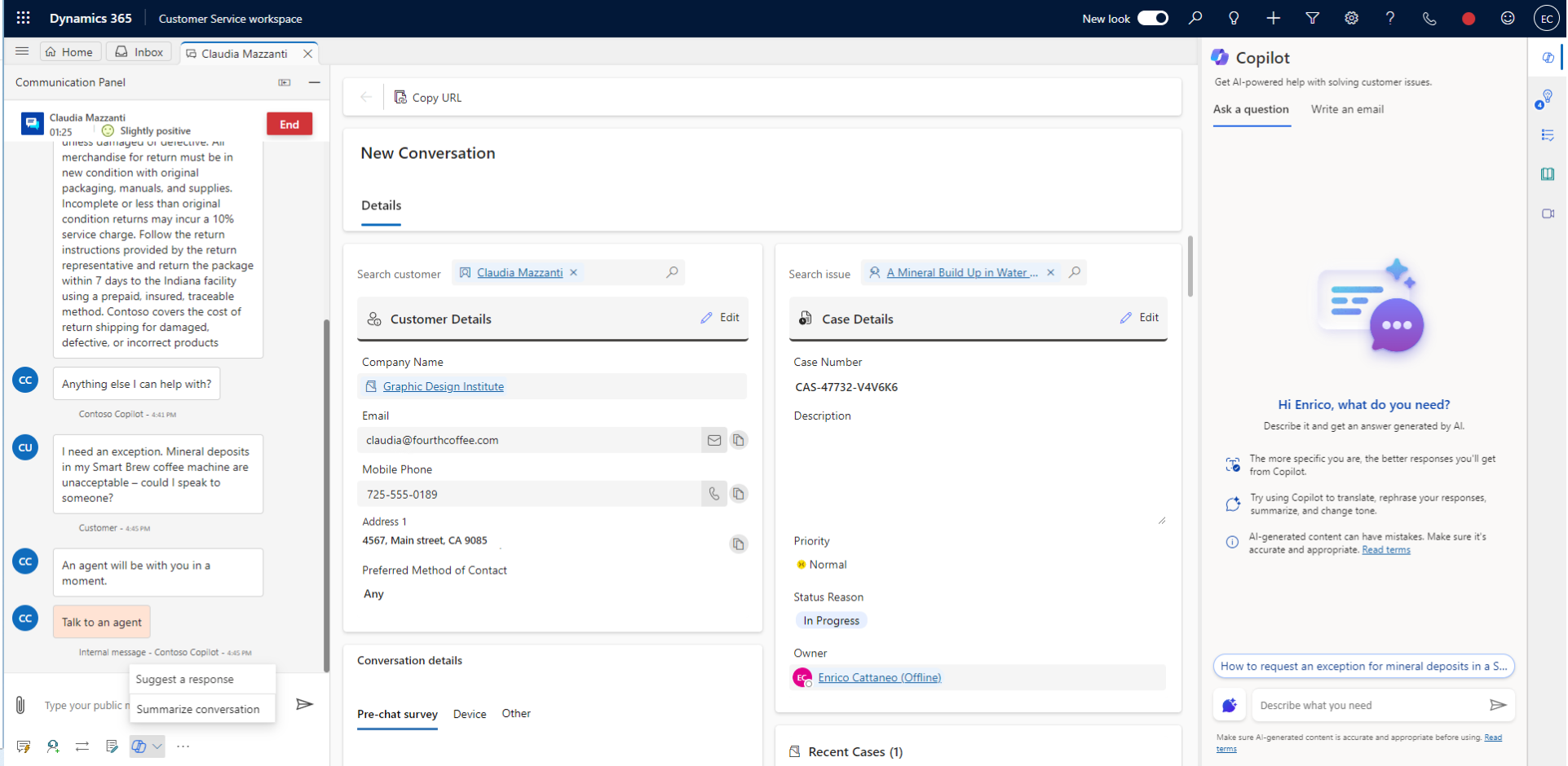
Use Dynamics 365 for Customer Service to:
The Customer Service Hub app is built on the Unified Interface framework, which uses responsive web design principles to provide an optimal viewing and interaction experience for any screen size, device, or orientation. Using Customer Service Hub on a desktop browser for tasks other than managing knowledge articles is not recommended.
Field Service
Boost customer satisfaction by performing the job right in the first go
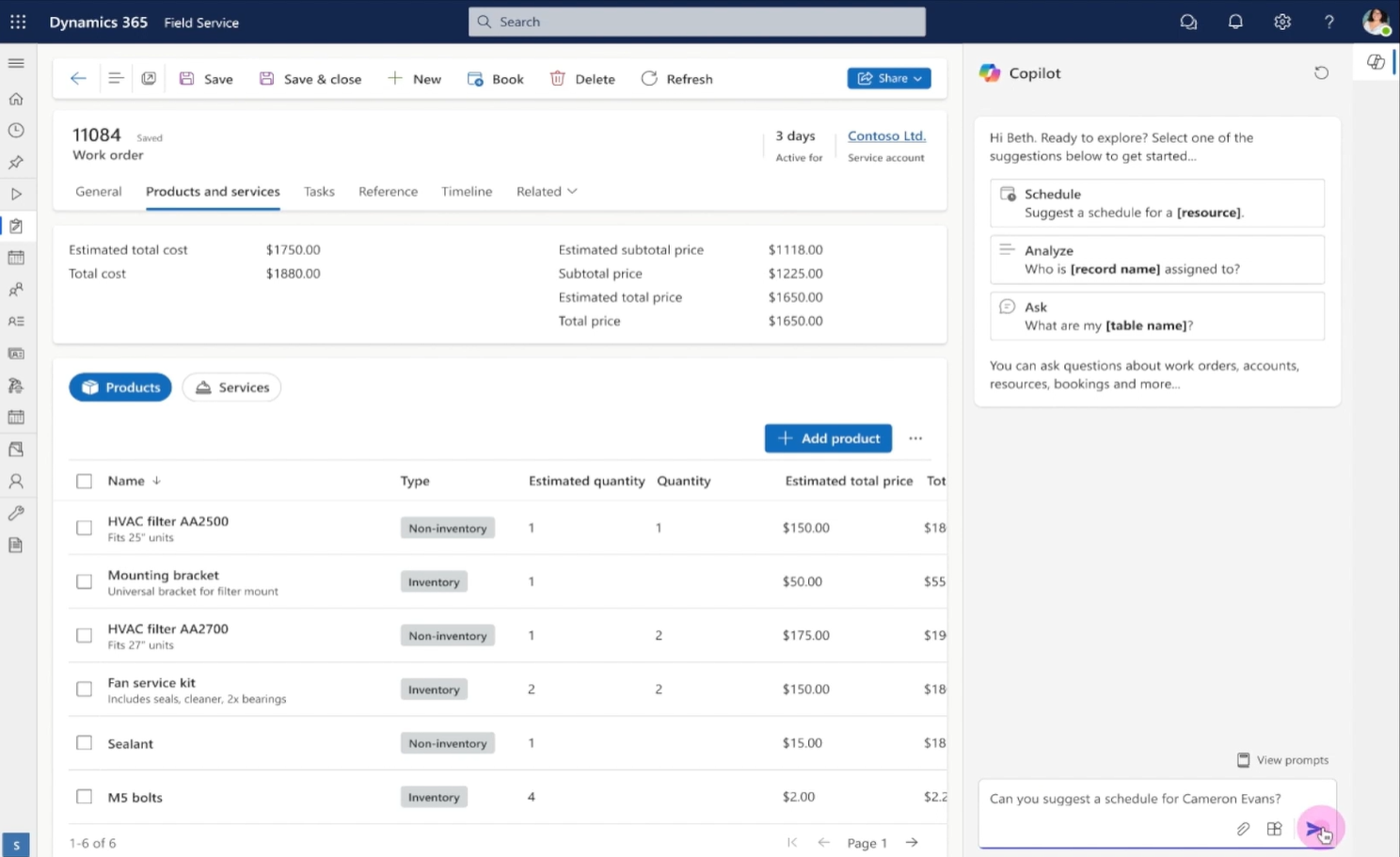
Field Service capabilities extend Dynamics 365 to provide a complete Field Service management solution, including service locations, customer assets, preventative maintenance, work order management, resource management, product inventory, scheduling and dispatch, mobility, collaboration, customer billing, and analytics.
-
Work order management
Quickly generate work orders, encompassing all of the information you need to dispatch field agents to service locations. -
Schedule board and dispatch
A flexible drag-and-drop schedule board lets dispatchers assign resources and set up schedules for multiple work orders using a list or map view. -
Resource management
Configure resource information to allow Field Service to efficiently match the best field agent to a work order based on availability, proximity to service location, and required skills. -
Service locations and customer assets
Store and manage information about your customers’ service locations and serviceable customer assets. -
Preventative maintenance
Configure service agreements for your customers that will automatically generate recurring work orders to ensure equipment is properly maintained before issues occur. -
Inventory management
Extend the Dynamics 365 product catalog with an inventory management system that tracks real-time inventory levels by warehouse, including mobile truck stock. -
Customer billing
Completed work orders can be turned into customer invoices for customer billing. -
Mobile app
The mobile app gives field techs quick and easy access to everything they need to execute a work order, including schedule information, customer contact information, turn by directions, and more.
All these field service features can be made available anywhere, on any device
Human Resources
Bring out the best in your people
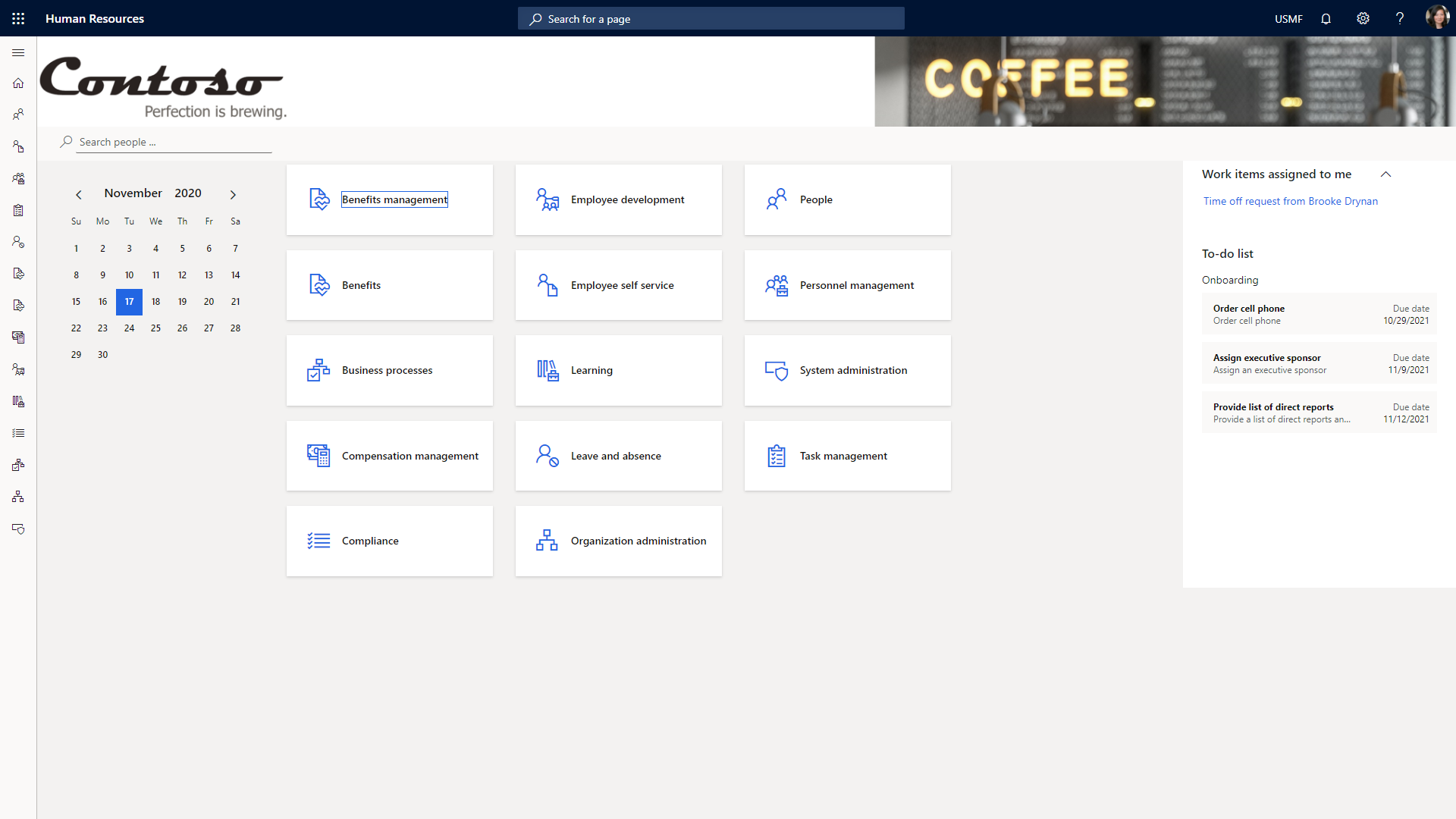
Microsoft Dynamics 365 Human Resources streamlines many routine record keeping tasks and automates a number of processes related to staffing your organization. These processes include employee retention, benefits administration, training, performance reviews, and change management. It also provides a framework for human resources staff to manage areas of oversight.
-
Set up employees for success
Ensure new employees are productive and impactful throughout those first few critical months with a personalized onboarding experience. -
Foster a culture of excellence
Inspire people to do their best work with continuous feedback, praise tools, and collaborative assessments that allow you to reward high performers. -
Enable development and growth
Empower employees and create an environment of growth with a personalized career path, continuous learning, and development guides. -
Drive operational excellence
Improve business impact and drive an agile, high-performance culture with automated HR tasks, people analytics, and connected strategic initiatives.
Finance & Supply Chain Management
Manage your finances effortlessly and transform your business performance
Dynamics 365 for Finance and Operations will unify your Financial and Operations data resulting in real-time information
that will assist in streamlining your day-to-day operations more effectively.
Manage your finances effortlessly, Simplify your supply chain, Manage your sales cycle more proficiently, Make
your purchasing process automatic and safe, Get a 360-degree view of your business, Deliver projects on time
and under budget!
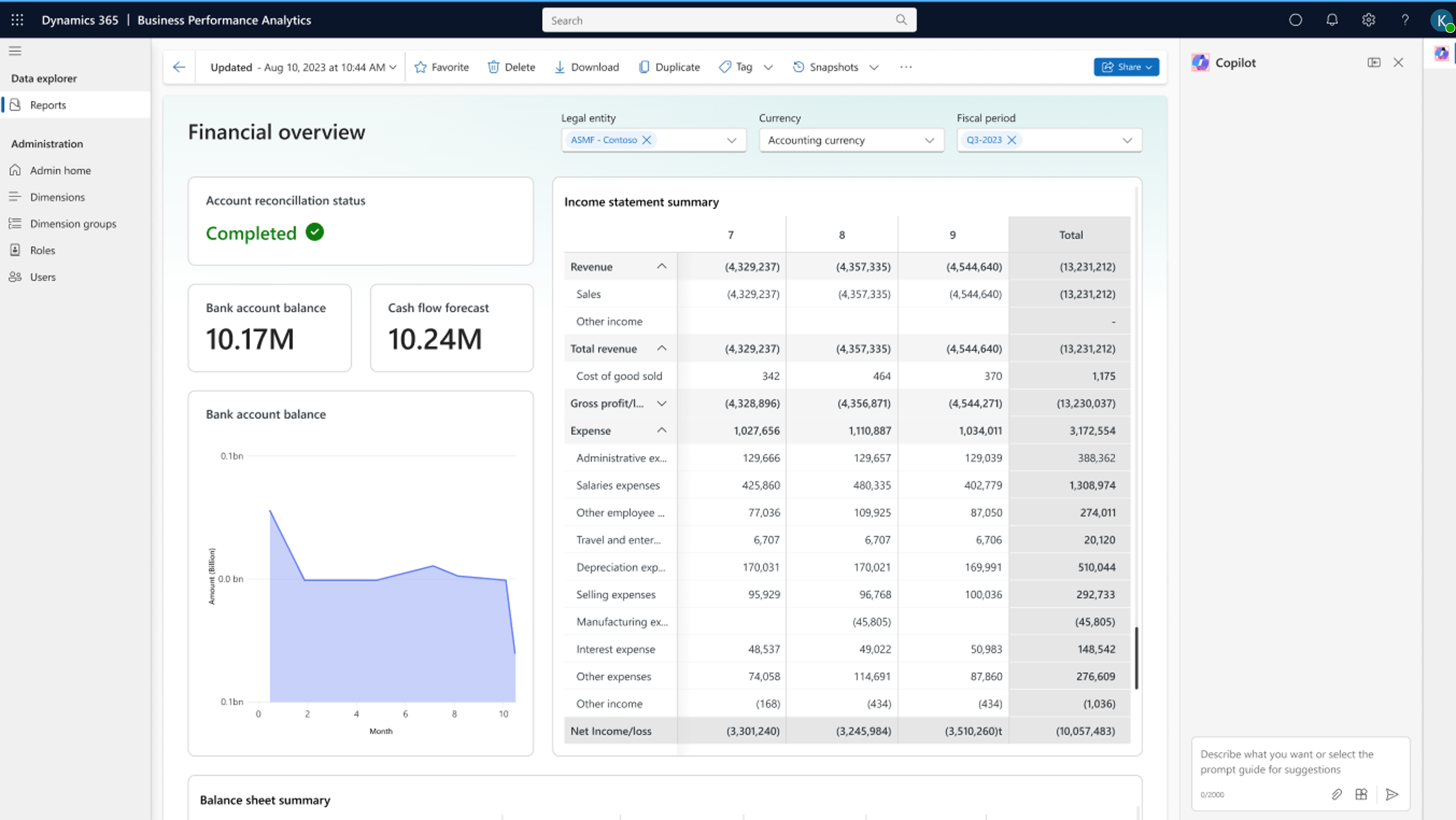
-
Accounts Payable
Enter vendor invoices manually or receive them electronically. After the invoices are entered or received, review and approve the invoices via multiple avenues. Use invoice matching, vendor invoice policies, and workflow to automate the review process so that invoices that meet certain criteria are automatically approved.. -
Accounts Receivable
You can create customer invoices that are based on sales orders or packing slips. Receive payments by using several different payment types. These include bills of exchange, cash, checks, credit cards, and electronic payments. If your organisation includes multiple legal entities, you can use centralised payments to record payments in a single legal entity on behalf of the other legal entities. -
Cash and Bank Management
You can use Cash and bank management to maintain the legal entity’s bank accounts and the financial instruments that are associated with those bank accounts. These instruments include deposit slips, checks, bills of exchange, and promissory notes. You can also reconcile bank statements and print bank data on standard reports. -
Cost Accounting
Cost accounting lets you collect data from various sources, such as the general ledger, sub-ledgers, budgets, and statistical information. You can then analyse, summarise, and evaluate cost data, so that management can make the best possible decisions for price updates, budgets, cost control, and so on. The source data that is used for cost analysis is treated independently in Cost accounting. -
Fixed Assets
You can set up and enter acquisition information for fixed assets, and then manage them by depreciating them and setting a capitalisation threshold to determine depreciation. You can calculate adjustments to the fixed assets, and also dispose of them. When you use General ledger together with Fixed assets, you can view the current value of all fixed assets.
The way in which fixed assets are handled must correspond to both international accounting standards and the accounting legislation in each country/region. Requirements might include rules for recording acquisition and disposal transactions, depreciation, lifetimes, and write-ups and write-downs of fixed assets. The Fixed assets functionality incorporates many of these standards and rules. -
General Ledger
You can allocate, or distribute, monetary amounts to one or more accounts or account and dimension combinations based on allocation rules. Maintain fixed and variable assets. You can also settle transactions between ledger accounts and revalue currency amounts.
At the end of a fiscal year, generate closing transactions and prepare your accounts for the next fiscal year. Consolidate and combine the financial results for several subsidiary legal entities into results for a single, consolidated organisation. -
Project Management
The project management and accounting functionality can be used in multiple industries to provide a service, produce a product, or achieve a result.
A project is a group of activities that is designed to provide a service, produce a product, or achieve a result. Projects consume resources and generate financial results in the form of revenues or assets. -
Public Sector
Use the Public sector functionality to meet the rules, regulations, and reporting requirements for organisations that serve the public. The business processes affected include:
-
Budgeting
In Finance and Operations, users can create budget plans either directly in the Finance and Operations client.Additional planning and budgeting capabilities are available across Finance and Operations and are integrated with ledger budgets.
Dynamics 365 Commerce
Engage every shopper, everywhere
Unify digital, in-store, and back office operations to personalize customer engagement and increase employee productivity. Dynamics 365 for Retail empowers retailers to create exceptional, insightful shopping experiences.
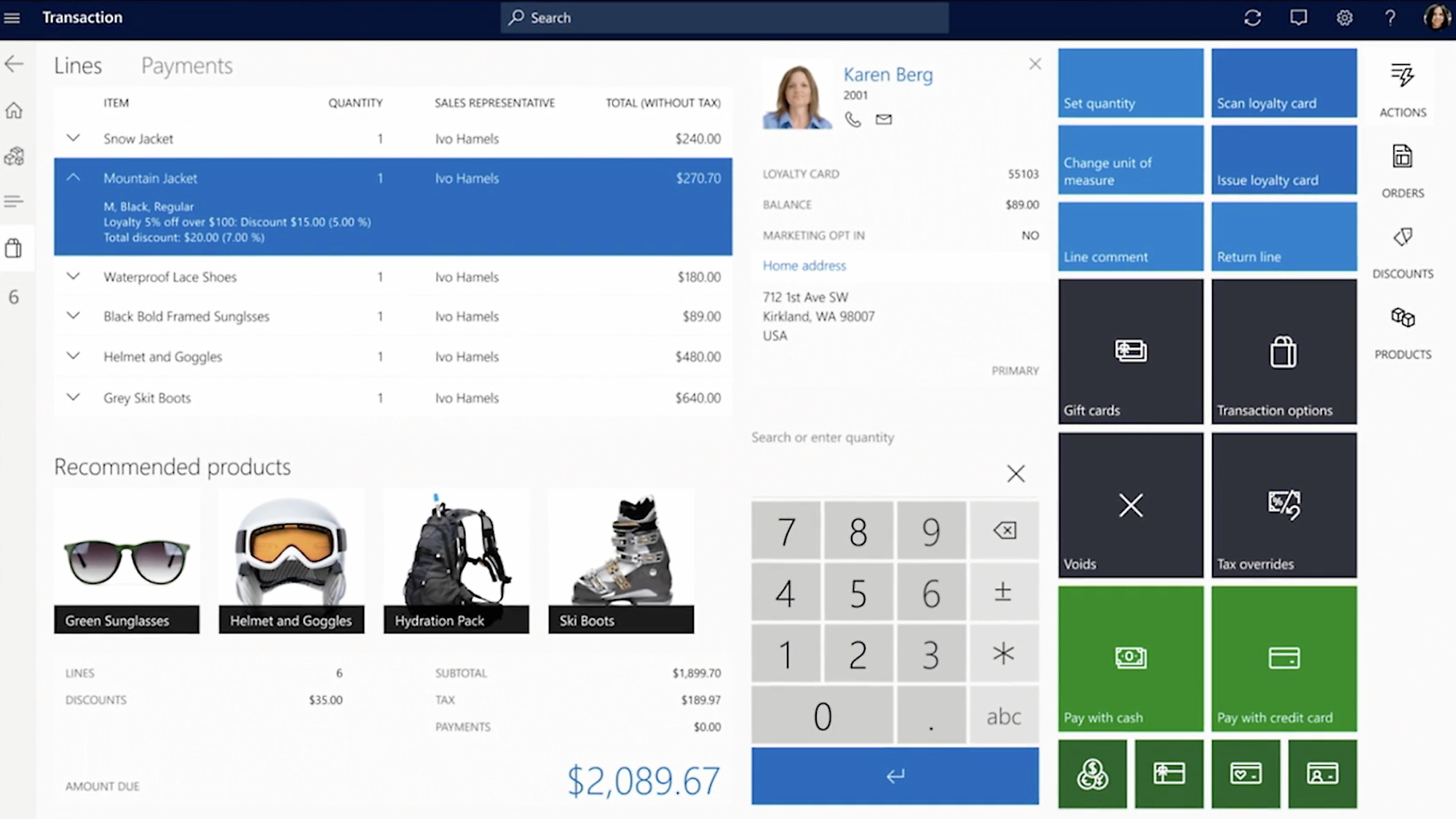
-
Drive unified commerce
Increase revenue, customer satisfaction, and brand loyalty by delivering a consistent shopping experience. -
Create a modern store experience
Manage stores efficiently, increase sales, and instantly adapt to the changing needs of your customers. -
Effectively manage merchandising
Improve ROI and product demand by centrally managing merchandising—including product information, categories, assortment, and pricing. -
Optimize operations through insights
Reduce fulfilment costs, improve inventory utilization, and efficiently manage your business by using customer and operational insights. -
Innovate with a modern and adaptable platform
Drive innovation with an application that is easy to tailor, extend, and connect to other apps and services that you already use.
Project Operations
Engage customers and deliver billable projects on time and within budget
Give your business development team a unified sales experience with professional services automation. Collaborate
on both product-based and project-based opportunities using social insights. Make every customer conversation
relevant and productive using a client-centric approach to finalize project scope and statements of work.
Dynamics 365 for Project Service Automation capabilities in Dynamics 365 (online) provides an end-to-end solution
that helps sales and delivery teams engage customers and deliver billable projects on time and within budget.
Project Service Automation automation helps you:
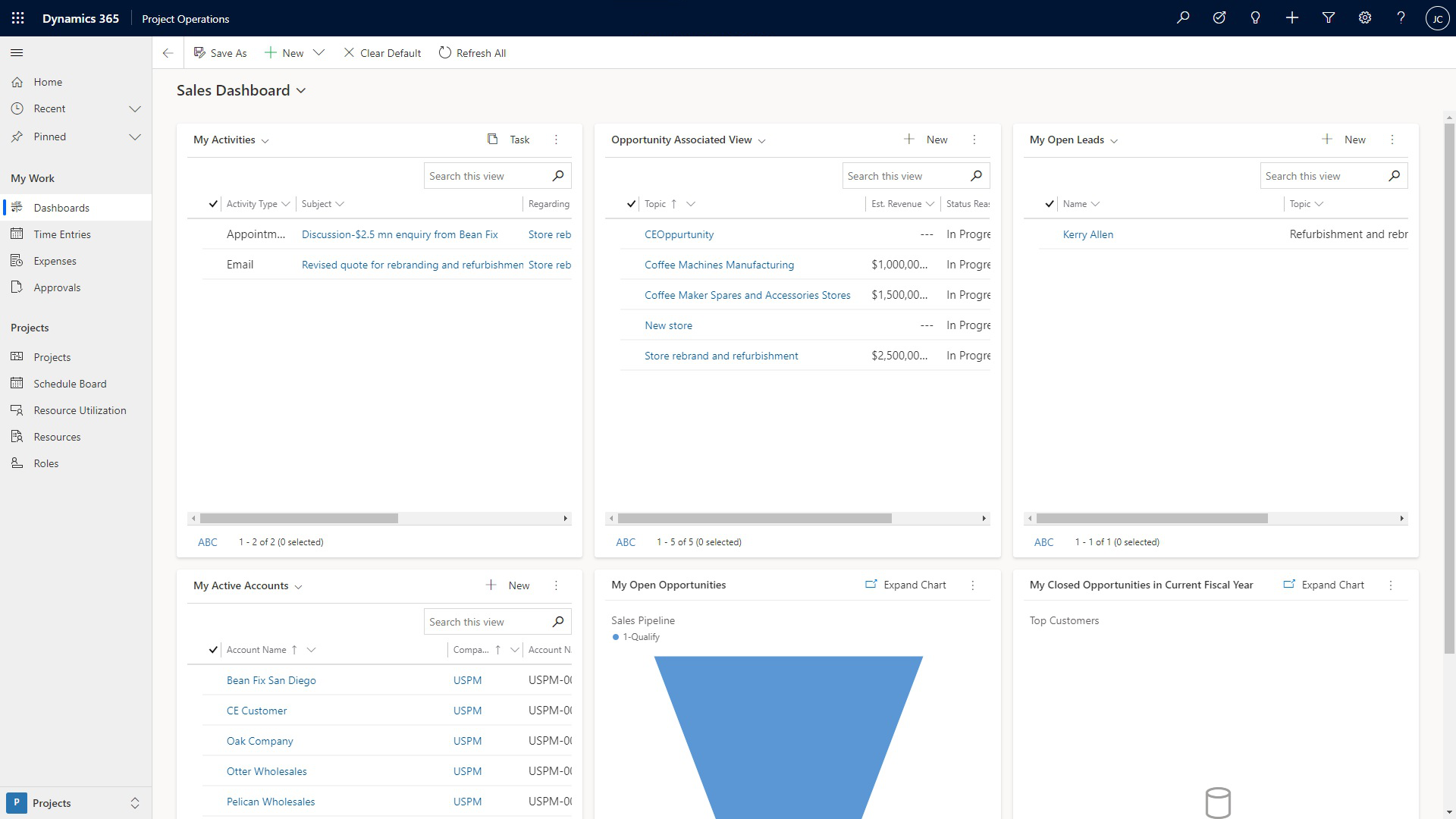
-
Project-based contracts
Project-based contracts relate quotes and orders to project plans, financial estimates, labor pricing, and billing arrangements, like time and materials or fixed price. The contract highlights key metrics, including profitability and feasibility. -
Project planning
Visual project planning and estimation includes predecessors, automatic task scheduling, and views of sales and cost information for time and expenses. You can use the resulting plan in quotes and project contracts. -
Resource management
Resource information includes the skills and proficiencies of your workforce. You can view and filter resources based on skills and availability, so you can assign the right people to the right projects. You can also track resource utilization and forecasting metrics. -
Time, expenses, and collaboration
Team members can use the web or mobile apps to record time and expenses for multiple projects. Managers can easily approve new entries while understanding the financial implications of the newly-approved items. All team members can collaborate with an Office 365 workspace created for their project. -
Project billing
Project invoices reflect the terms of the contract and the approved work and expenses. The financial impact of project work, including costs, unbilled revenue, and invoices, are recorded for use in analytics and integration into financial systems.
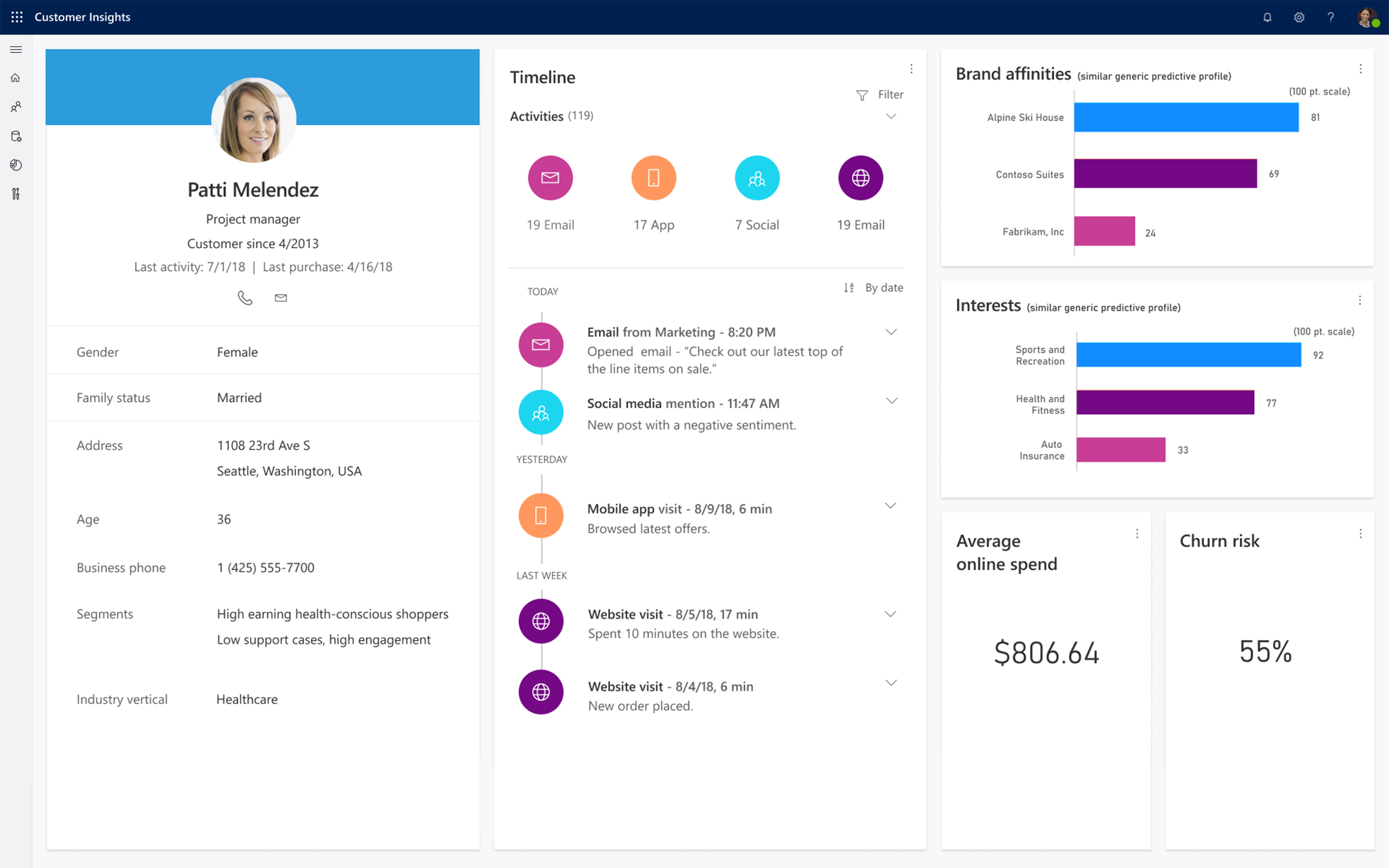
Customer Insights
Consolidate data from disparate sources
Achieve a central repository of your customers and their interactions with your brand. We can help configured to
link to data from an extremely wide variety of sources. thereby a “360 degree” view of your customers.
If your customer data is scattered between different systems or you have a Microsoft D365 system, a web analytics platform,
an email marketing automation solution, and a customer rewards program – each managed by software from different
vendors, you could use our capability in consolidating these systems.
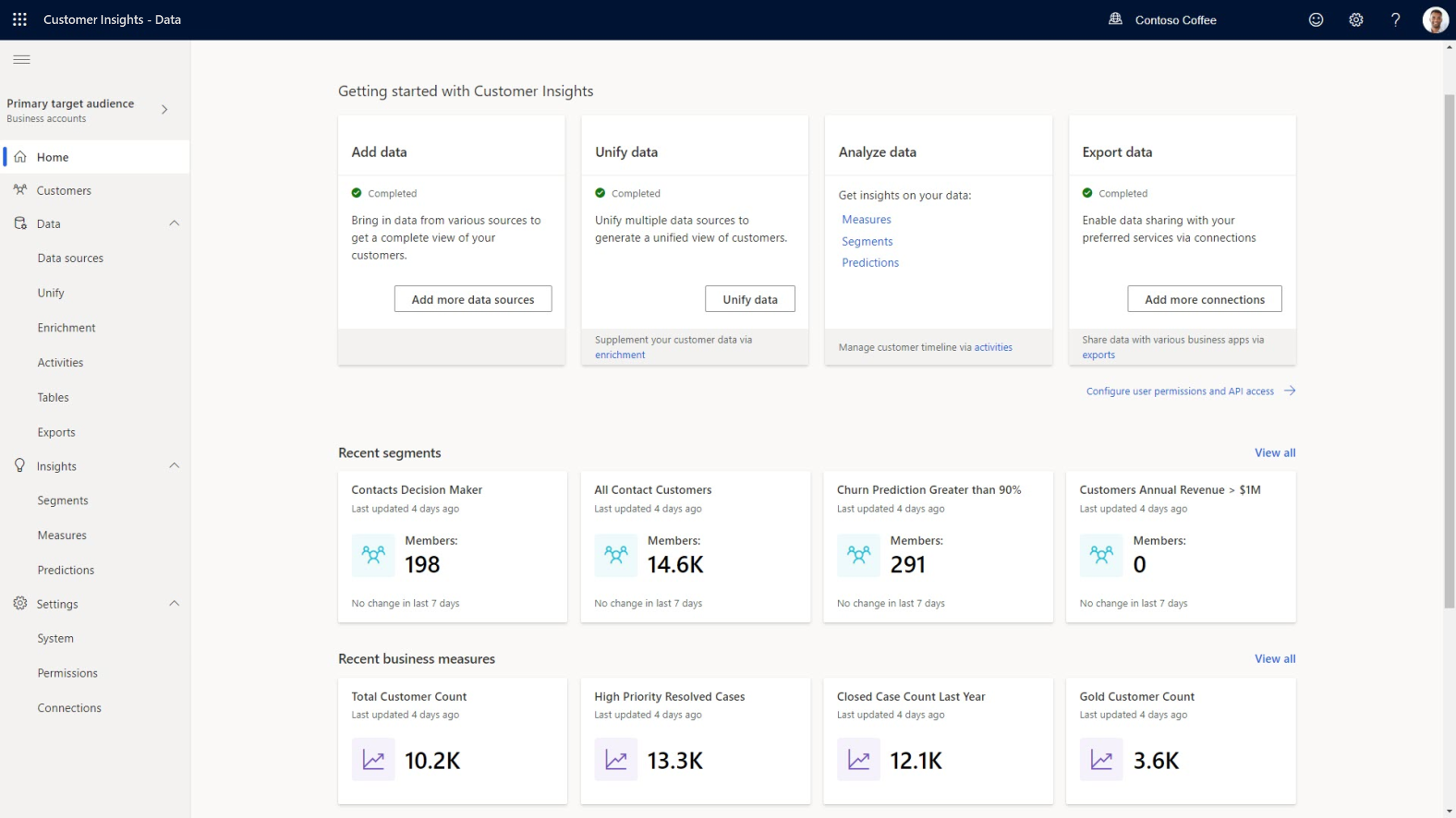
Understand customers better
Get a 360-degree view of the customer journey to reveal interactions, make inferences, and anticipate customer needs.
Forecast business results
Generate data-driven predictions across your business, such as predicting customer attrition or sales conversion.
Focus more on the right customer audience
Create more effective campaigns through granular customer segmentation based on known and predicted customer journeys.
-
Connect to all your data
Uncover insights by bringing all your customer data together – including Dynamics 365, Office 365, and third-party data sources – with the security and privacy you require.
-
Match customers with activity
Fully understand the customer journey across channels by using contextual information and artificial intelligence that matches customers with activities and profiles.
-
Make smarter decisions
Guide your decisions and processes by applying artificial intelligence to predict outcomes across your business.
-
Create rich visualizations
Better understand the customer journey – individually or in the aggregate – by composing role-specific visualisations that bring together customer profiles, interactions, metrics, inferences, and predictions.
Microsoft Dynamics 365 Business Central
Transform Your Business with Microsoft Dynamics 365 Business Central
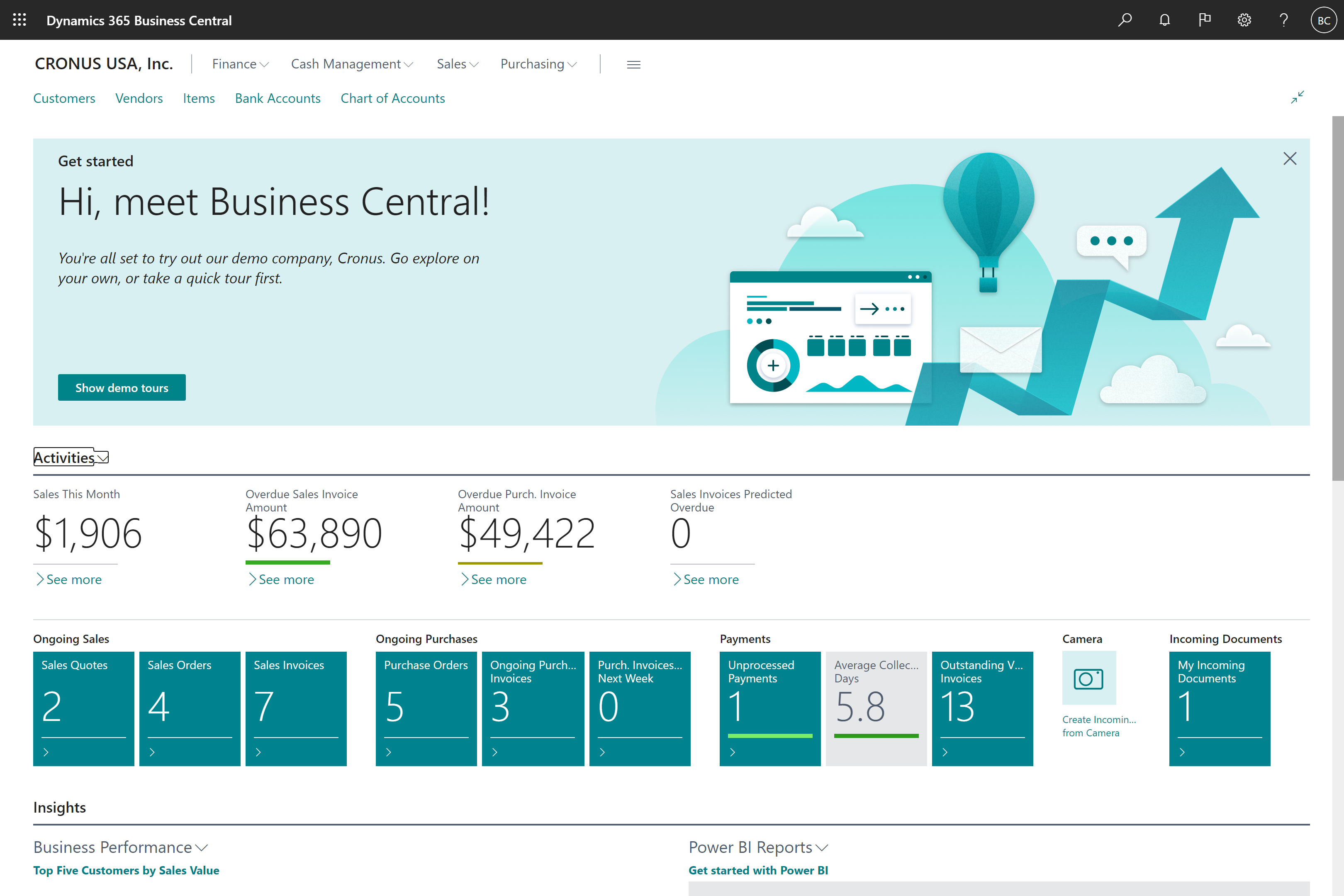
Microsoft Dynamics 365 Business Central is a comprehensive cloud-based ERP solution designed for small and medium-sized businesses looking to streamline operations, improve financial visibility, and accelerate growth.
Business Central brings finance, sales, purchasing, inventory, project management, manufacturing, and service management into a single integrated platform, enabling organizations to make smarter decisions with real-time data and AI-powered insights. Microsoft continues to invest heavily in Business Central, making it one of the fastest-growing ERP platforms in the market. It combines enterprise-grade capabilities with the flexibility and simplicity required by growing businesses.
Microsoft Copilot Services
Unlock the Full Potential of Microsoft Copilot
Artificial Intelligence is transforming the way businesses operate, and Microsoft Copilot is leading the next generation of workplace productivity. By combining the power of Large Language Models (LLMs) with your organization's Microsoft 365 data, Copilot enables employees to work smarter, automate repetitive tasks, generate content faster, and make better decisions.
At 1 Billion Tech, we help organizations move beyond simply purchasing Copilot licenses and focus on achieving measurable business outcomes. Our consultants work with your teams to identify high-value use cases, establish governance frameworks, optimize security, and drive user adoption across the organization.
Whether you are evaluating Microsoft Copilot, preparing your environment, or looking to maximize your existing investment, our experts can help you build a practical AI roadmap that delivers real business value.
Our Microsoft Copilot Services
Copilot Adoption & User Enablement
Help employees understand how to effectively use Copilot through structured training, workshops, and change management programs.
Custom Copilot Solutions
Extend Microsoft Copilot capabilities using:
- Microsoft Power Platform
- Copilot Studio
- Azure AI Services
- Dynamics 365
- Custom business applications
Governance, Security & Compliance
Establish AI governance frameworks that ensure secure and responsible use of organizational data while maintaining compliance requirements.
Key Benefits
- Increase employee productivity
- Reduce manual and repetitive tasks
- Accelerate content creation and analysis
- Improve decision-making with AI-assisted insights
- Enhance collaboration across teams
- Maximize return on Microsoft 365 investments
- Enable responsible and secure AI adoption
Why Choose 1 Billion Tech?
Our team combines deep expertise across Microsoft 365, Dynamics 365, Power Platform, Azure, and enterprise business applications. We help organizations implement practical AI solutions that align with business goals while ensuring security, governance, and measurable outcomes.
From readiness assessments and implementation to adoption and ongoing optimization, we provide end-to-end services that help businesses realize the full value of Microsoft Copilot.
Related Services
- Microsoft Dynamics 365
- Microsoft Power Platform
- Azure Cloud Services
- Digital Transformation Consulting
- Managed Support Services